





Platform and Driver app
Release updates
Stay up to date about our continuously evolving Fuuse Platform and Driver App by checking out the latest release updates below.


LATEST
Driver app updates
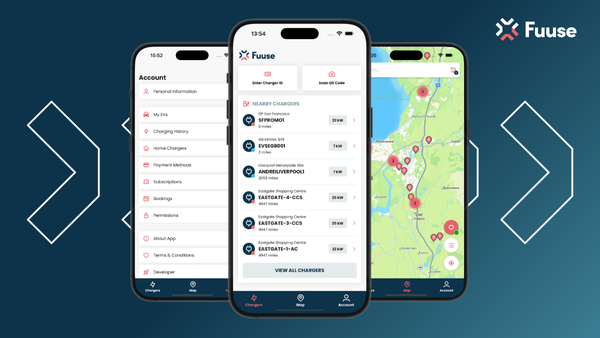
What's CHANGED ON THE APP?
Add elapsed time (AC) or charge % (DC) to “in use” connector status in the app
Drivers can now see live charging progress (elapsed time for AC, battery % for DC) so they can plan their next charge.
App Home Screen - remove nearby promo banner
We’ve removed the nearby promo banner to give drivers a cleaner home screen that puts charging information first.
🐛 Bug Fixes
Active charging sessions not displayed in the app
Live sessions now show reliably in the app, so drivers can view details and stop charging from their phone.
Improve address textfields validation
Stray trailing spaces in address and postcode fields no longer cause errors, which makes registration and profile updates smoother.
LATEST
Platform updates
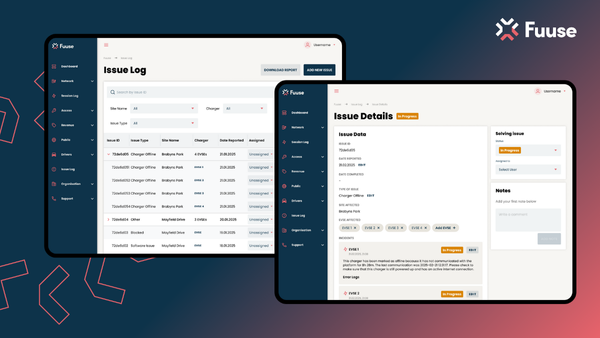
What's cHANGED ON THE PLATFORM?
Show current vs average charging speed (avg & max kW) on portal session and charger pages
Comparing a session’s speed with the charger’s historical average helps support teams quickly tell a vehicle issue from a charger fault.
Populated internal/external private connection type column
The connection type column is now filled in for private connections, so internal and external connections are clearly separated in reporting.
Hub / NSP - update naming
The portal now correctly labels Enapi and Gireve as hubs and other location services as NSPs, so tooltips and labels are more accurate.
Sort by revenue - add a sort by revenue
You can now sort roaming partners by revenue to quickly see which partnerships perform best.
Clarify Card Orders table labels and intro copy
New “Name” and “Email” headings, tooltips and intro text explain who appears on single and bulk card orders.
Rename Drivers / Vehicles into Drivers and Vehicles
The section is now called “Drivers and Vehicles”, which makes navigation clearer and more accessible.
Add comments to Problems
You can now comment on Problems, and comments sync automatically to linked child issues so everyone has the same information.
Add AssignedAt field to Issues
A new timestamp records when an issue is assigned or updated, giving teams clearer visibility of response times.
Redo the handshake process
We’ve re-run the roaming handshake with key partners on our latest OCPI 2.2 endpoints to keep connections stable and secure.
Read the full release notes here.
Previous release notes:
Read September release notes here.
Read August release notes here.
Read July release notes here.
Read June release notes here.
Read May release notes here.
Read April release notes here.
Read March release notes here.
24/7 Helpline
for your drivers
With charger support and driver support, your drivers and operating teams have support on hand, whenever they need it.
Plus, you’ll have complete visibility on support handling.


Keep up!
The EV industry is accelerating.
Keep up to date with all the latest industry and Fuuse news.

